If you’ve ever scrolled through Pinterest and stopped on a travel pin that instantly caught your eye, chances are the text was easy to read even from a distance or on a small phone screen. That’s the power of high contrast font pairings for Pinterest travel blogger pins. When your destination name pops against a soft sunset photo or your tip stands out over a busy street scene, you’re more likely to get clicks, saves, and traffic back to your blog.
What does “high contrast font pairing” actually mean?
It’s not just about making fonts big. High contrast means pairing two typefaces that differ clearly in weight, style, or structure like a bold sans-serif headline with a light serif subheading. The goal is visual hierarchy: your audience should instantly know what to read first, second, and where to click next. On Pinterest, where users scroll fast and attention spans are short, clarity beats creativity every time.
Why do travel bloggers need this more than other niches?
Travel content often features vibrant, detailed photos think bustling markets, mountain ranges, or cobblestone alleys. These backgrounds can easily overpower delicate or low-contrast text. If your pin says “Hidden Gems in Lisbon” but blends into the tile rooftops behind it, no one will read it. Strong contrast ensures your message cuts through the visual noise without clashing with your aesthetic.
What makes a good high contrast pairing for travel pins?
Look for combinations where one font grabs attention and the other supports it quietly. A few reliable approaches:
- Bold sans-serif + thin serif: Try Montserrat (headline) with Lora (description). Clean, modern, and legible.
- Heavy display font + minimalist sans: Use something like Bebas Neue for the destination name, paired with Open Sans for details.
- All-caps bold + lowercase light: Creates instant hierarchy without needing two different font families.
Avoid pairing two script fonts or two ultra-thin styles they disappear on mobile or against complex images.
Common mistakes that ruin readability
Many travel bloggers go too subtle. Light gray text on a pale sky? White script over snow-capped mountains? These look elegant in design tools but vanish on Pinterest feeds. Other pitfalls:
- Using similar weights (e.g., medium + regular) that don’t create enough distinction
- Overlapping text on busy parts of a photo instead of placing it over solid or blurred areas
- Prioritizing “pretty” fonts over function Pinterest isn’t Instagram; clarity drives engagement
How to test if your pairing works
Zoom out on your pin preview until it’s thumbnail size can you still read the main message in under two seconds? If not, increase the weight difference or add a subtle background overlay behind the text. Also, check how it looks on both light and dark mode phones. What pops on your desktop might fade on someone else’s device.
Should you stick to the same fonts year-round?
Not necessarily. Seasonal shifts can guide your choices. For example, crisp, bold fonts work well for winter travel content see how some bloggers adjust their winter pin typography for clarity in snowy scenes. But your core pairing (like Montserrat + Lora) can stay consistent while swapping accent styles for holidays or destinations.
Where to find reliable font combos
If you’re unsure where to start, explore proven sets used by professional bloggers. Some prefer timeless mixes like classic serifs with clean sans-serifs, while others lean into modern geometry. You can compare approaches in our breakdown of modern vs. classic Pinterest typography to see what aligns with your brand voice.
Next steps: Build your own go-to pairing
Pick one bold, highly legible font for headlines and one simple, readable font for body text. Test them together over three different travel photos (beach, city, nature). Tweak spacing, size, and color until the text stays clear at thumbnail size. Save your final combo as a Canva template so every pin stays consistent and clickable.
Quick checklist before publishing your next travel pin:
- Is the headline font at least two weights bolder than the supporting text?
- Does the text remain readable when the image is blurred or viewed on a small screen?
- Have you avoided placing text over high-detail areas of the photo?
- Is your font pairing consistent with your last 5–10 pins for brand recognition?
 Professional Blog Font Pairings for Pinterest Aesthetics
 Font Duos for Blogger Branding
 Modern Vs. Classic Pinterest Font Pairings
 Rustic Font Formulas for Pinterest Wedding Pins
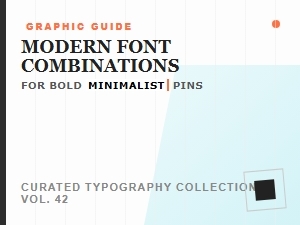 Modern Font Pairings for Minimalist Pin Designs
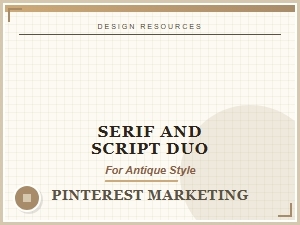 Serif and Script Fonts for Rustic Vintage Charm